For the Nerds
Demos of some of the fun things I do.
Audio-Reactive Video and Lighting Demo:
In the video below, Sound-to-Video/Light reactivity is driven by QLab with “liveAverageLevel” OSC Query (internally or to ETC Eos respectively). Video-to-sound reactivity is driven by Max/MSP in the video below, but can also be driven by other tools such as TouchDesigner.
(download: folder with QLab 5 workspace, ETC Eos show file (with Augment3d visualizer set up), and TouchDesigner network that will give you the basic tools for these audio-reactive tricks, and allow you to test them, all on the same computer. QLab 5 requires a license of any kind to use Network cues, or you can try to recreate in demo mode.)
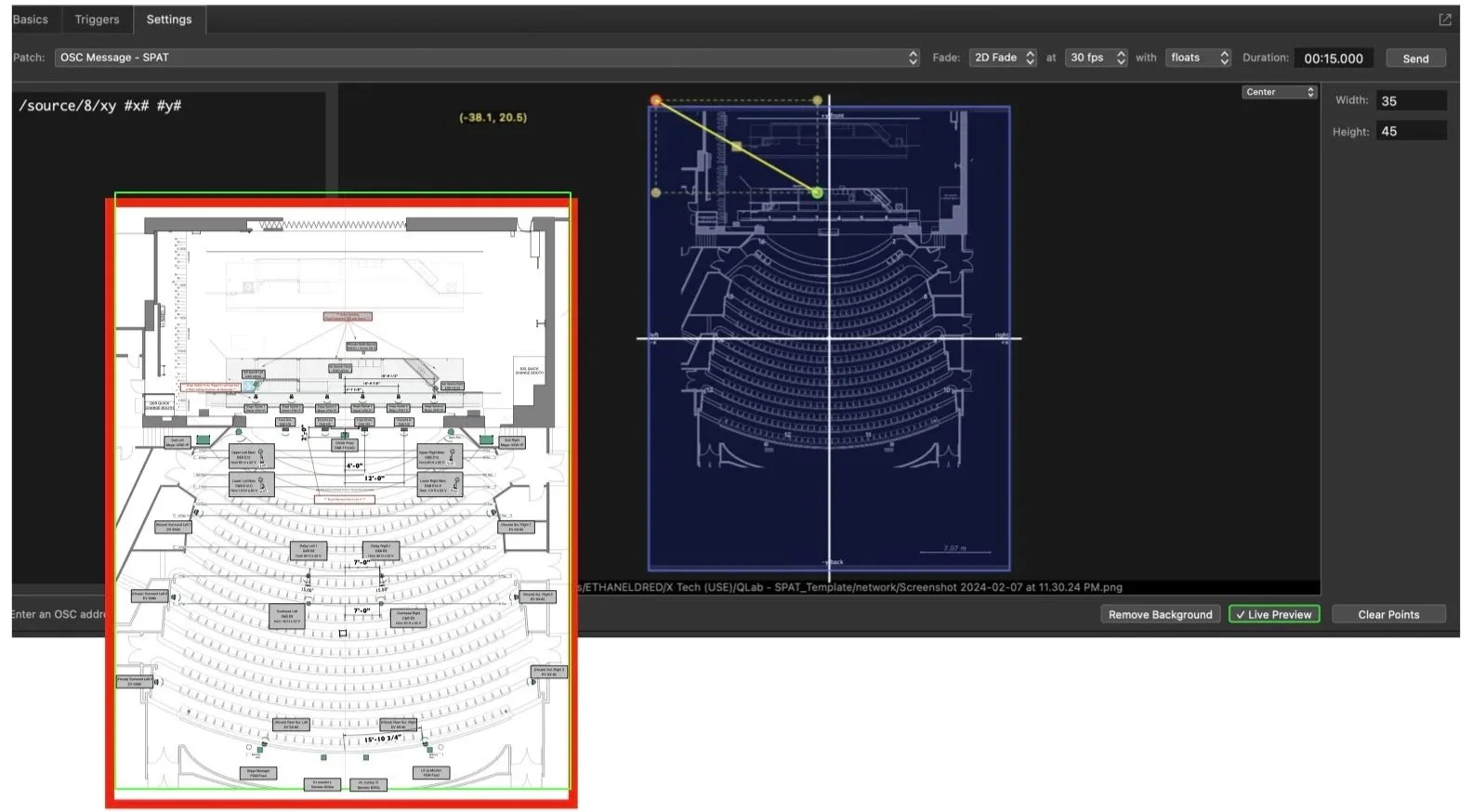
QLab-to-Ircam-SPAT Spatial Audio Workflow
(download QLab workspace here)
(To be used with Max/MSP and the free Ircam Spat Externals package, also works with Flux SPAT Revolution, the commercial standalone version of the same spatialization engine)
Prior to QLab 5.5, this was one of the most cost-effective ways I could find to cost-effectively and reliably deploy object-based spatial audio in a theatrical context, essentially free for many of us who already have Max licenses. Running a saved Max patch does NOT require a license, but saving changes does, so patches can be set up and deployed without a continuous license. Max patches can also be exported as standalone apps. The same basic workflow can also apply with most audio spatialization engines which offer OSC control (D&B Soundscape, L’Acoustics L’ISA, Meyer MAPP, Timax PanLab, etc.). Within the year after this demo was created, QLab introduced its update v5.5 including native object-based audio and uses fade paths.in the same way. With object based audio, I can more quickly re-deploy a complex show on a a different sound system: the system configuration and speaker mappings can completely change, but the cue audio paths typically only need touchups and tweaking.
QLab-SPAT audio interface is via Blackhole, and control messages are sent via OSC/Network Cues.
LISTEN ON HEADPHONES FOR THE BINAURAL RENDERING OF THE MULTICHANNEL SPATIAL AUDIO. (let me know if this is blocked for you, I’m told by YouTube it contains copyrighted content.)
QLab Lighting “Bump Button” Script
Custom script to emulate the “bump button” behavior of lighting consoles, allowing you to flash or blink lights momentarily and then restore to previous state.